
Smart scan & clean
Cache, thumbnails, temporary files, logs, old APKs and empty folders. Expand any row, untick what you want to keep, then clean.
Phone cleaner · Sketch Tech
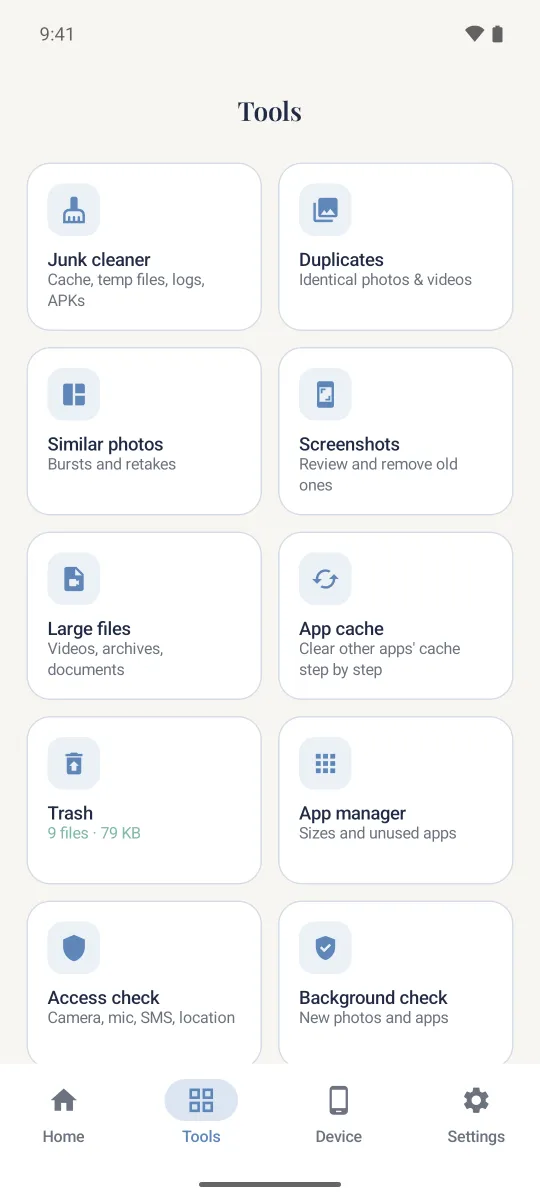
Linvy finds junk files, duplicate and similar photos, large files and apps you no longer use — and shows exactly what will be removed before anything is deleted.
Free · Android 8.0 and later · Contains ads
Clean. Organize. Live lighter.
What Linvy does
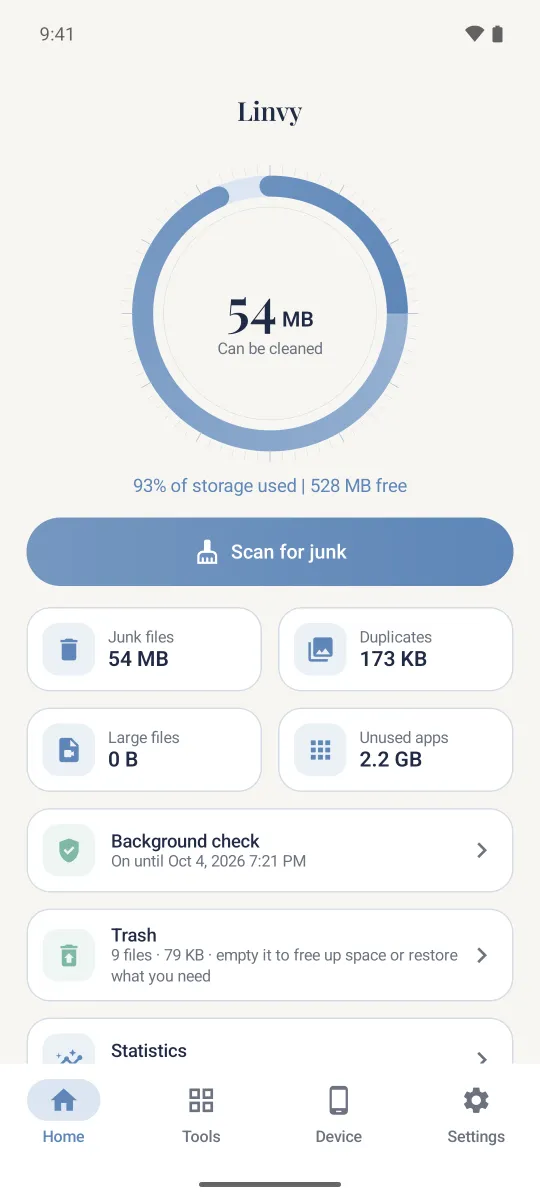
Real numbers from your device. No fake “viruses”, no “boost” percentages — just space you can actually free up.
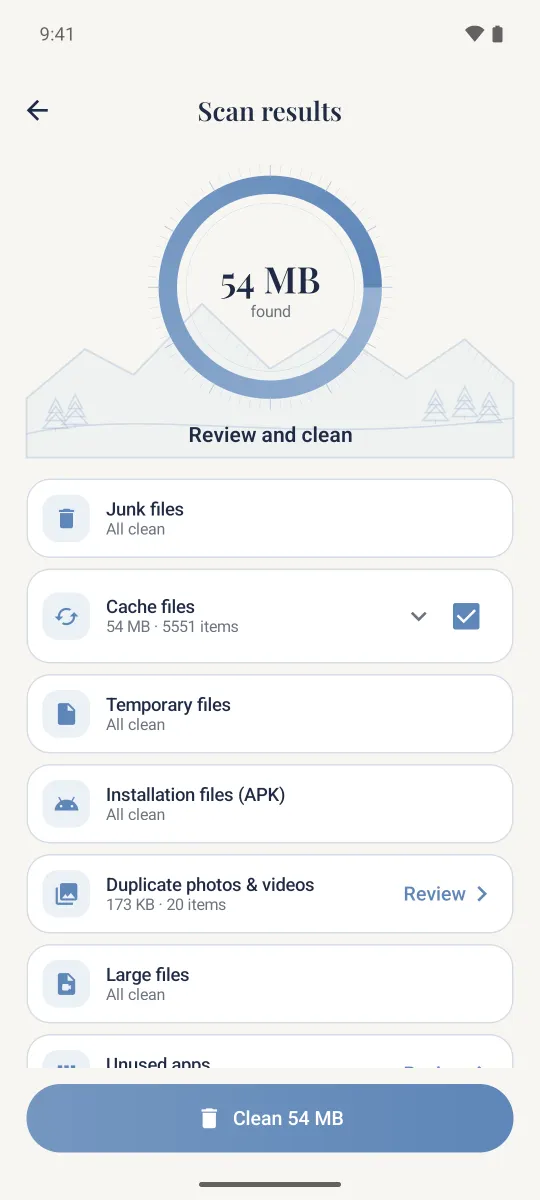
Cache, thumbnails, temporary files, logs, old APKs and empty folders. Expand any row, untick what you want to keep, then clean.
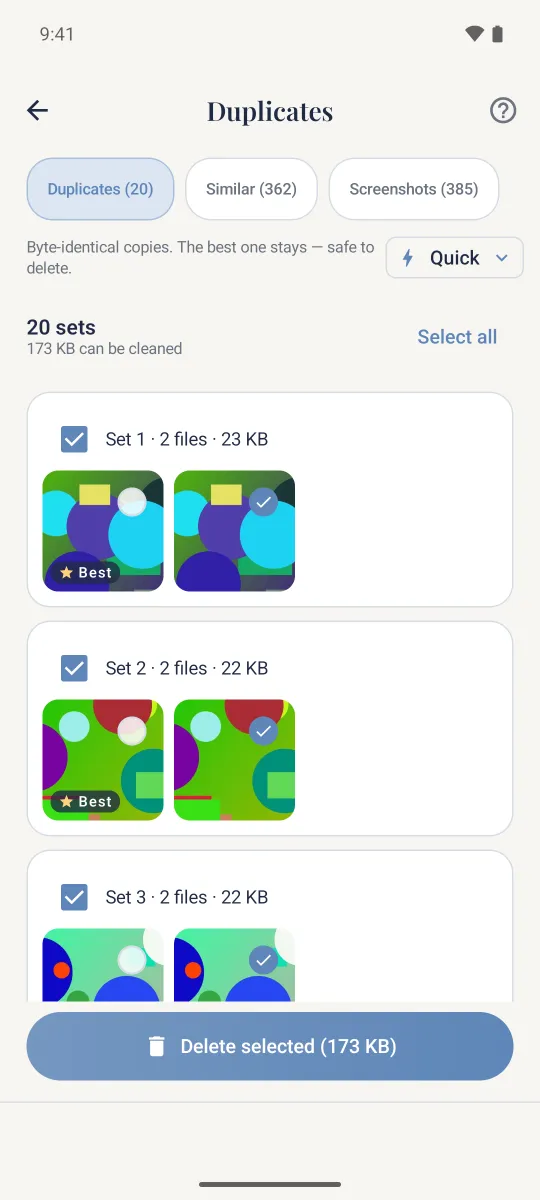
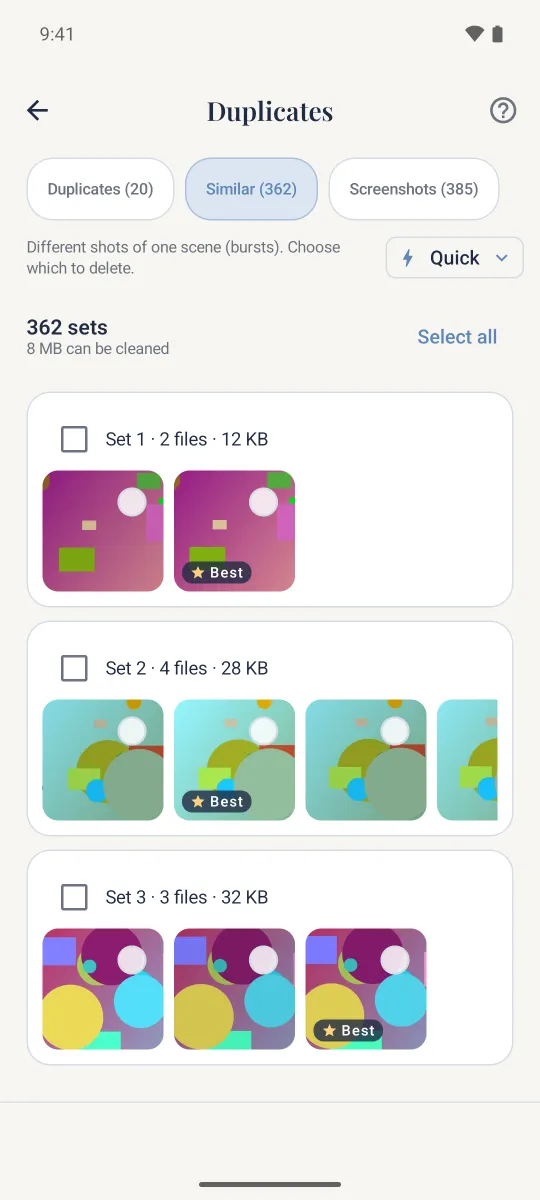
Exact copies, similar shots, bursts and screenshots. The best copy always stays — the last copy of a photo is never deleted.
Videos, documents and downloads above a size you choose, with filters, sorting and full-screen preview before deleting.
Photos and files you remove go to the trash first. Changed your mind? Tap “Undo” or restore them from the Trash screen.
Sizes, cache and last-used dates. Find apps you haven't opened in a month and uninstall several in a row.
See which apps can use your location, microphone, camera, SMS or special access — with a plain-language explanation of each.
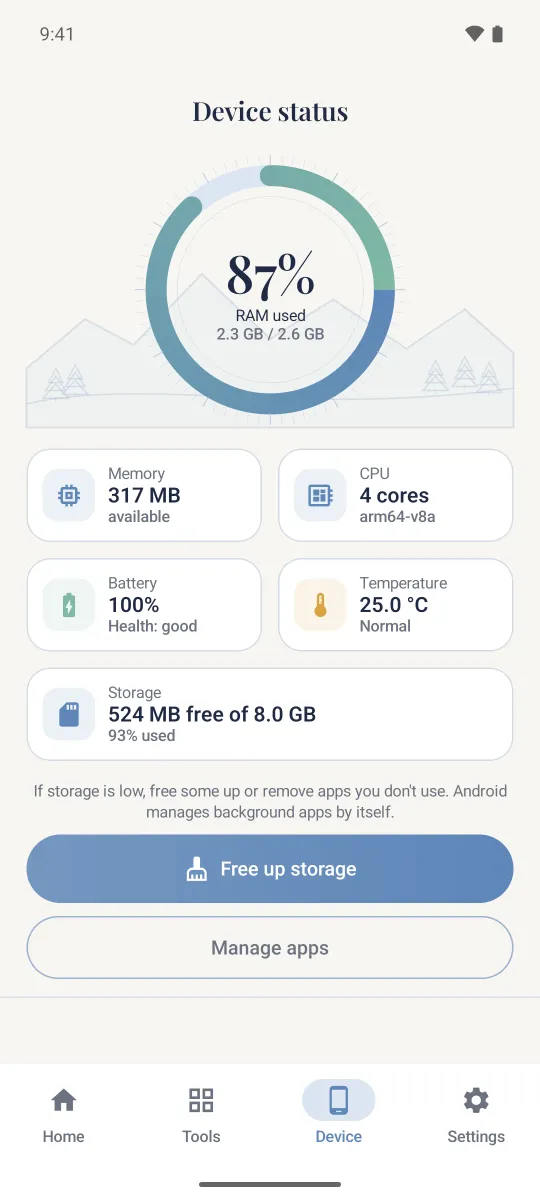
Memory, CPU, battery, temperature and storage — real system data, refreshed live. No fake “boosts”.
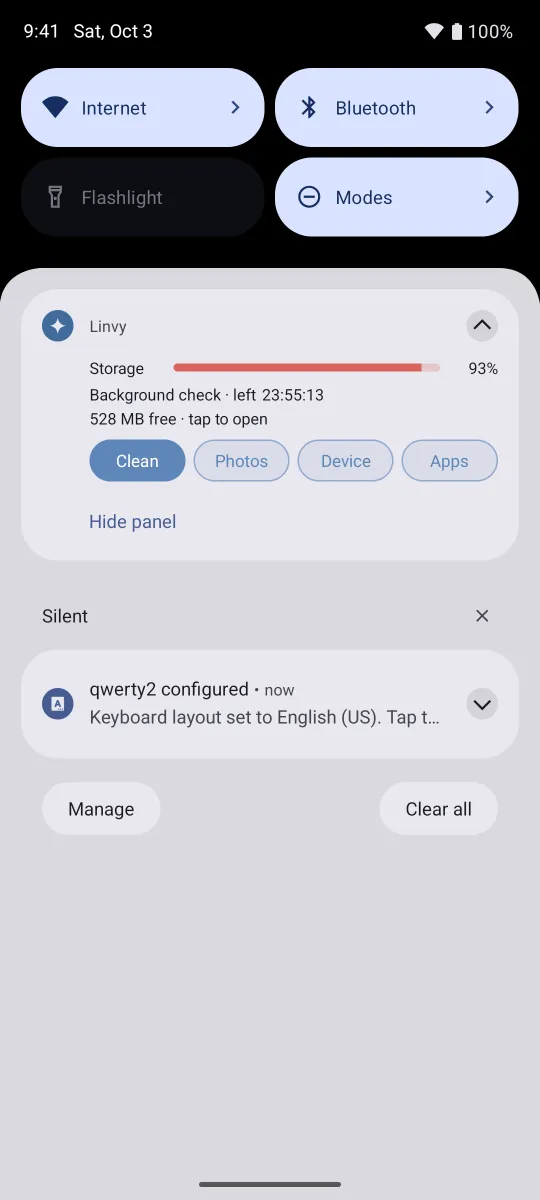
Free space and one-tap shortcuts right in the notification shade. You turn it on — and can hide it from the shade at any time.
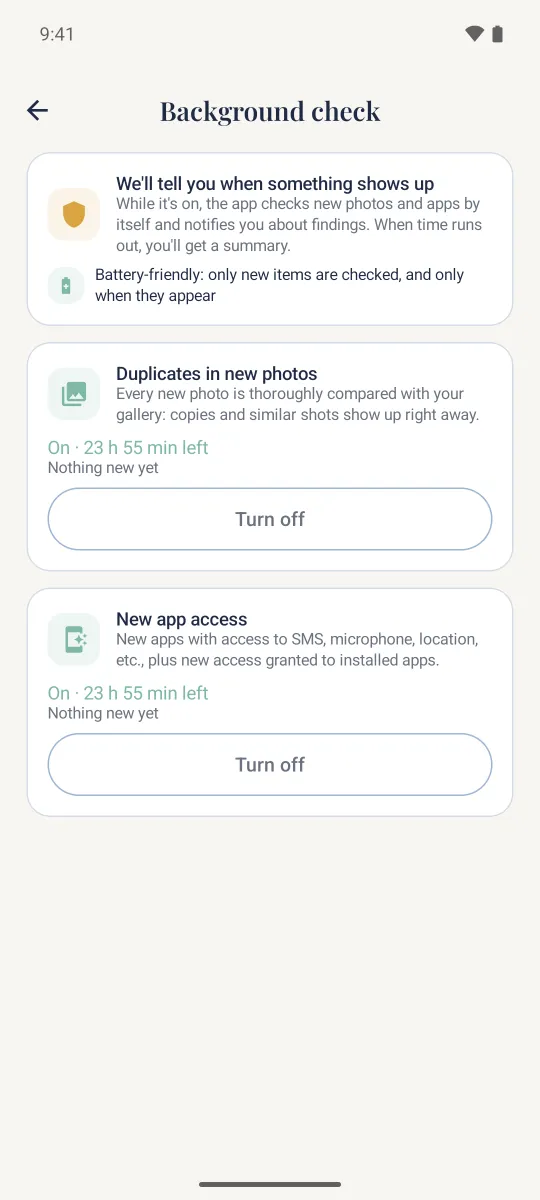
A gentle nudge when storage runs low, and an optional check for duplicates in new photos and new app permissions.
Inside the app
Ink-blue type, pencil landscapes and nothing that shouts at you.
Honest by design
Linvy analyzes photos, videos, files and the list of your apps right on the device. Nothing of it is uploaded — not to us, not to anyone.
Analyzed on your device · Sent nowhere
Permissions
Without any of these the app still opens — the related tool just shows an explanation and an “Allow” button.
| Access | What it's used for | Needed? |
|---|---|---|
Photos and videosREAD_MEDIA_IMAGES, READ_MEDIA_VIDEO | Finding duplicate and similar photos, large videos, screenshots. On Android 14+ you can allow only selected photos. | Optional |
Music and audioREAD_MEDIA_AUDIO | Showing large audio files. | Optional |
All files accessMANAGE_EXTERNAL_STORAGE | Deep clean: temporary files, logs, old APKs and empty folders outside the media library; documents in “Large files”. | Optional |
Usage accessPACKAGE_USAGE_STATS | App sizes, cache and last-used dates for the app manager and “unused apps”. Granted by you in Android settings. | Optional |
NotificationsPOST_NOTIFICATIONS | Low-storage alerts, reminders, results of the background check and the quick tools panel. | Optional |
Delete appsREQUEST_DELETE_PACKAGES | Opening the standard Android uninstall dialog when you choose to remove an app. | On your action |
Internet, advertising IDINTERNET, AD_ID | Ads, analytics, crash reports, remote settings and push messages — see the Privacy Policy. | Automatic |
Questions
Yes. Linvy is free and is supported by ads. Cleaning, exact duplicates and large files are always free. Finding similar photos is free the first time; after that a short optional video unlocks it for an hour. The background check and some trash actions (restore, delete forever, delete without trash) are also unlocked by a short video. If no video is available, the feature opens anyway.
No. Photos, videos, audio, documents, the list of your apps and their usage are analyzed only on your device. Anonymous statistics that we receive contain only numbers such as “320 MB cleaned”, never file names, paths, images or app names. Details are in the Privacy Policy.
Android hides temporary files, logs, downloaded APKs and empty folders from regular apps. To find and remove them Linvy needs “All files access”. It is optional: without it the app works with photos, videos and audio, apps and device status.
Linvy frees up storage — that is what it honestly does. Modern Android manages memory by itself, so we don't show “boost” buttons or made-up percentages. The device screen shows real memory, CPU and battery data.
Photos, videos and files removed from “Duplicates” and “Large files” go to the trash for 30 days (on Android 11+ this is the system trash shared with your Gallery). Restore them from the Trash screen. Junk such as cache and temporary files is removed right away.
Tap “Hide panel” in the shade or swipe it away. You can also turn it off in Settings → Quick tools in notification shade.
In the EEA, UK and Switzerland open Settings → Ads & privacy → Privacy choices. Anywhere you can reset or delete your advertising ID in Android settings. To request access to or deletion of data, write to us — see Your rights and choices.

Download Linvy and see how much space you can get back.